Save what matters
Pin useful prompts, AI responses, images, videos, emails, products, posts, and web content into your personal Navaro memory.
 NAVARO AI
Save and reuse context across ChatGPT, Claude, Gemini, Grok, Kimi and other supported tools.
Free to start — includes 100 lifetime Saves. No payment required to install.
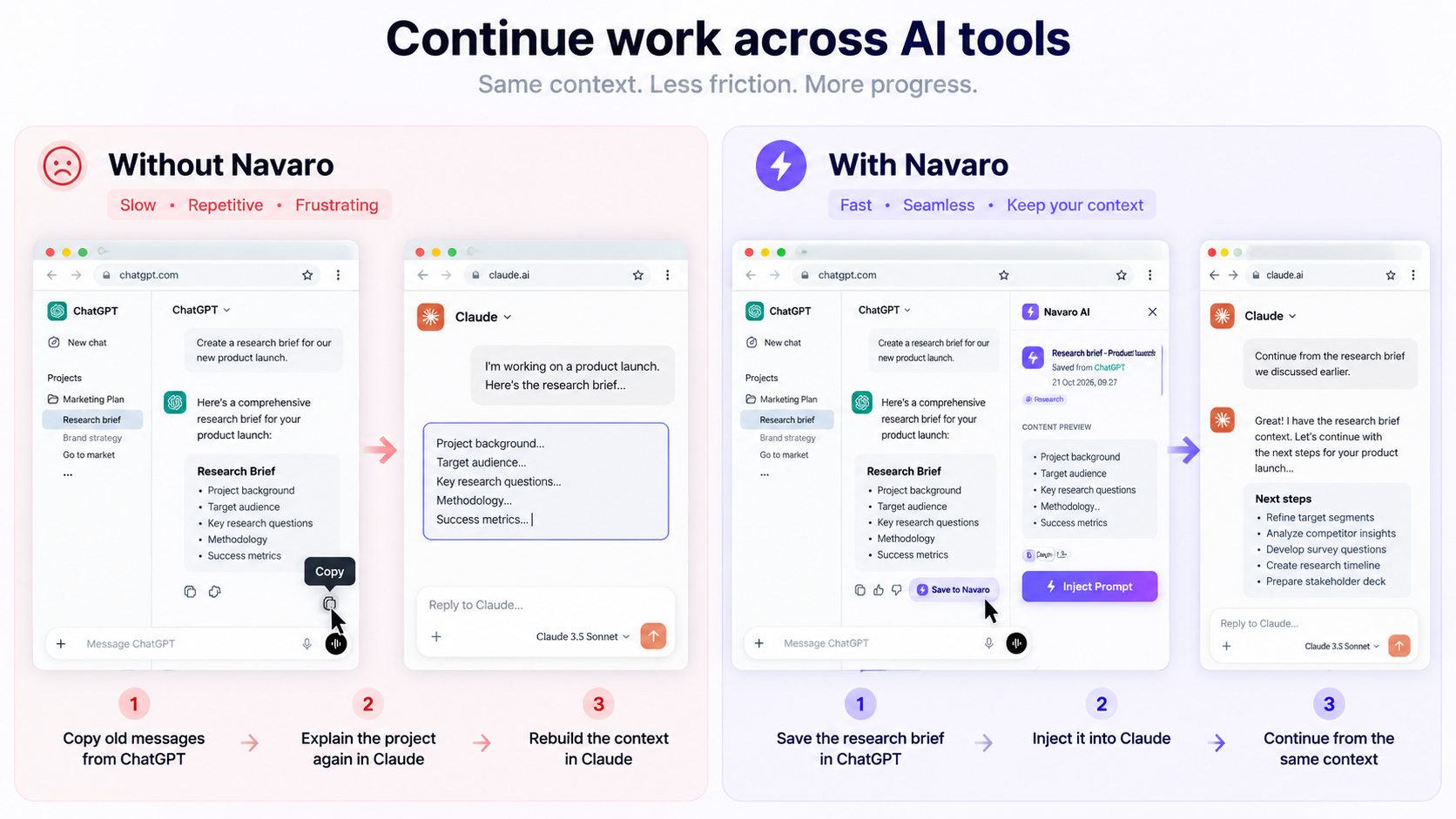
Save useful context from the web, review exactly what you want to carry forward, and continue in another AI tool.
Watch how Navaro keeps useful context ready across your AI workflow.
Select the memories that matter and inject them into your current AI conversation.
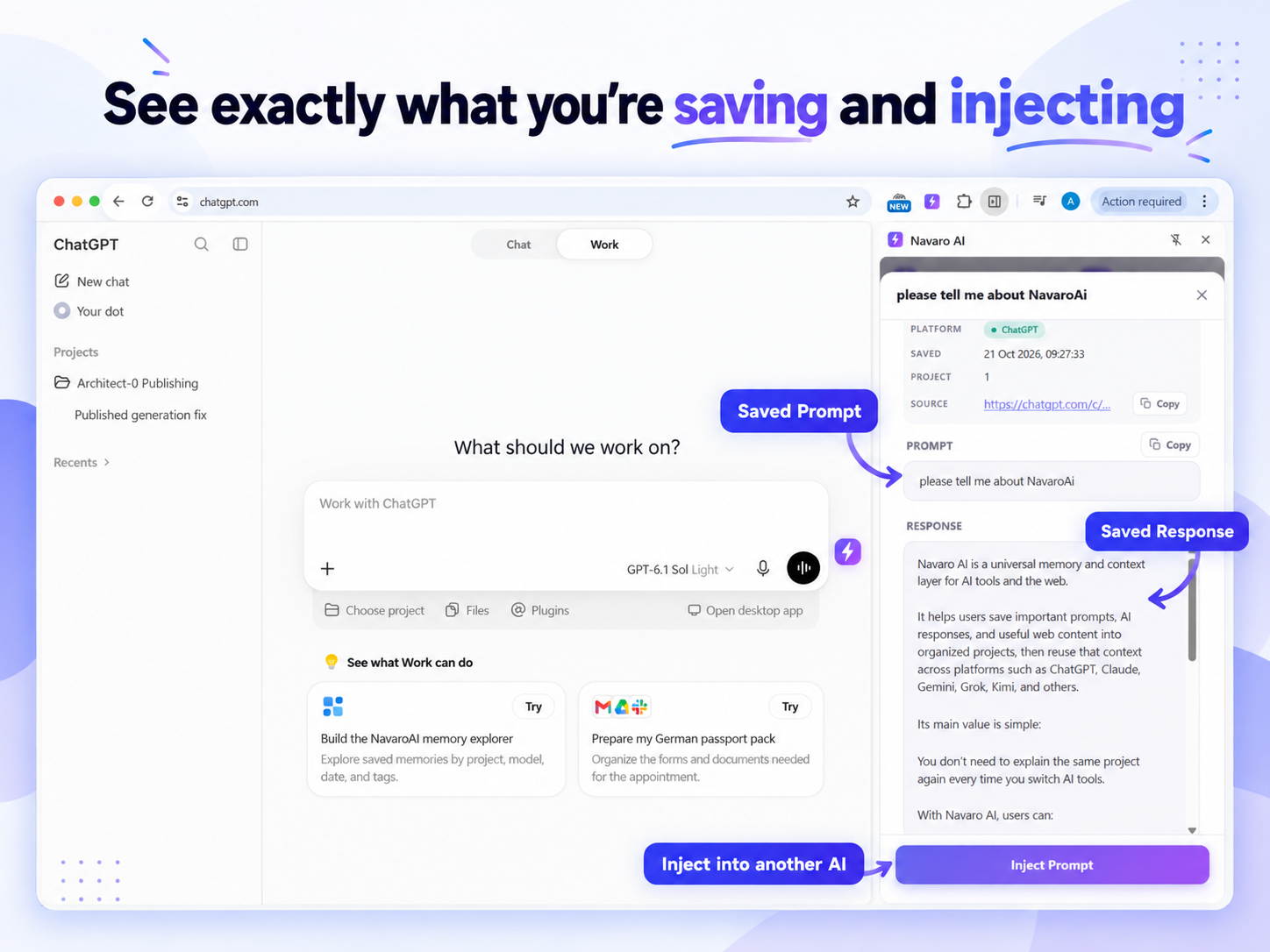
Pin useful prompts, AI responses, images, videos, emails, products, posts, and web content into your personal Navaro memory.
Select saved context and insert it into a supported AI composer, so the next model can continue with the information you already chose.
Organize saved context by project and return to the prompts, responses, media, documents, and web content you chose to keep.
Navaro supports Save, Inject, or both across the platforms listed here.
 ChatGPT
 Claude
 Gemini
 Grok
 Kimi
 DeepSeek
 Perplexity
 Copilot
 Qwen
More integrations
Choose the option that fits how often you save and reuse context.
Your first 100 lifetime Saves are free.
Renews automatically each month until canceled. Unlimited Saves while Pro is active.
$29 one-time purchase. Adds 300 Saves to your existing balance. No automatic renewal.
$69 one-time purchase. Adds 1,000 Saves to your existing balance. No automatic renewal.
Save adds the prompt, response, media, document, message, product, post, or other supported web content you choose to your organized Navaro memory.
Inject places context you select from Navaro into a supported AI composer so you can continue the work without starting over. You remain in control of what is injected and where.
Pro costs $9 per month and renews automatically each month until canceled. It includes Unlimited Saves while Pro remains active.
A Save pack is a one-time purchase with no automatic renewal. The purchased Saves are added to your existing Save-pack balance: for example, a balance of 3 plus a 1,000-Save pack becomes 1,003.
Cancel through Plan & Credits in Navaro AI. Cancellation stops the next renewal; Pro remains active until the end of the billing period already paid for. Your saved content remains available, and the account then returns to the applicable non-Pro Save allowance.
You can still access your existing saved content. Creating new Saves requires an active Pro subscription or an additional one-time Save pack.
Use Data Export and the controls under Privacy & Data Settings for supported data. For access, correction, deletion, portability, or other privacy requests, use Support & Contact or email carbi.office@gmail.com.
Open the official Chrome Web Store listing and add Navaro AI directly to Chrome.
Open Chrome Web StoreOfficial Chrome installation · Automatic extension updates